A high-energy website for an indoor pickleball centre in Melbourne
PickleZone welcomes complete beginners as well as regulars, and offers a lot at once: court hire, social play, memberships, functions and a licensed bar. The site had to explain all of it simply and get people booking a court or joining a session.
Visit the site- Book a Court and Join a Session buttons in the header
- Pages for court hire, social play, memberships and functions
- A promo bar for the current offer above the menu
PickleZone is an indoor pickleball centre on Brough Street in Springvale, Melbourne, with 8 professional courts, a licensed bar and kitchen, a social lounge and a pro shop. It welcomes complete beginners as well as regulars, and it offers a lot at once: court hire, social play, memberships and private functions. We designed a high-energy website for an indoor pickleball centre that explains every option simply and keeps the next step obvious.
Two buttons for two kinds of player
Pickleball players tend to arrive in one of two ways. Some already have a group and just need a court. Others are on their own, or new to the sport, and want to be slotted into a game. The header answers both with two buttons that sit beside the menu on every page: Book a Court and Join a Session.
The split comes straight from how the venue works. The court hire FAQ explains that you need a partner or a group to hire a court, and sends solo players to social play instead. Book a Court opens the online court booking system and Join a Session opens the session calendar, each in a new tab.
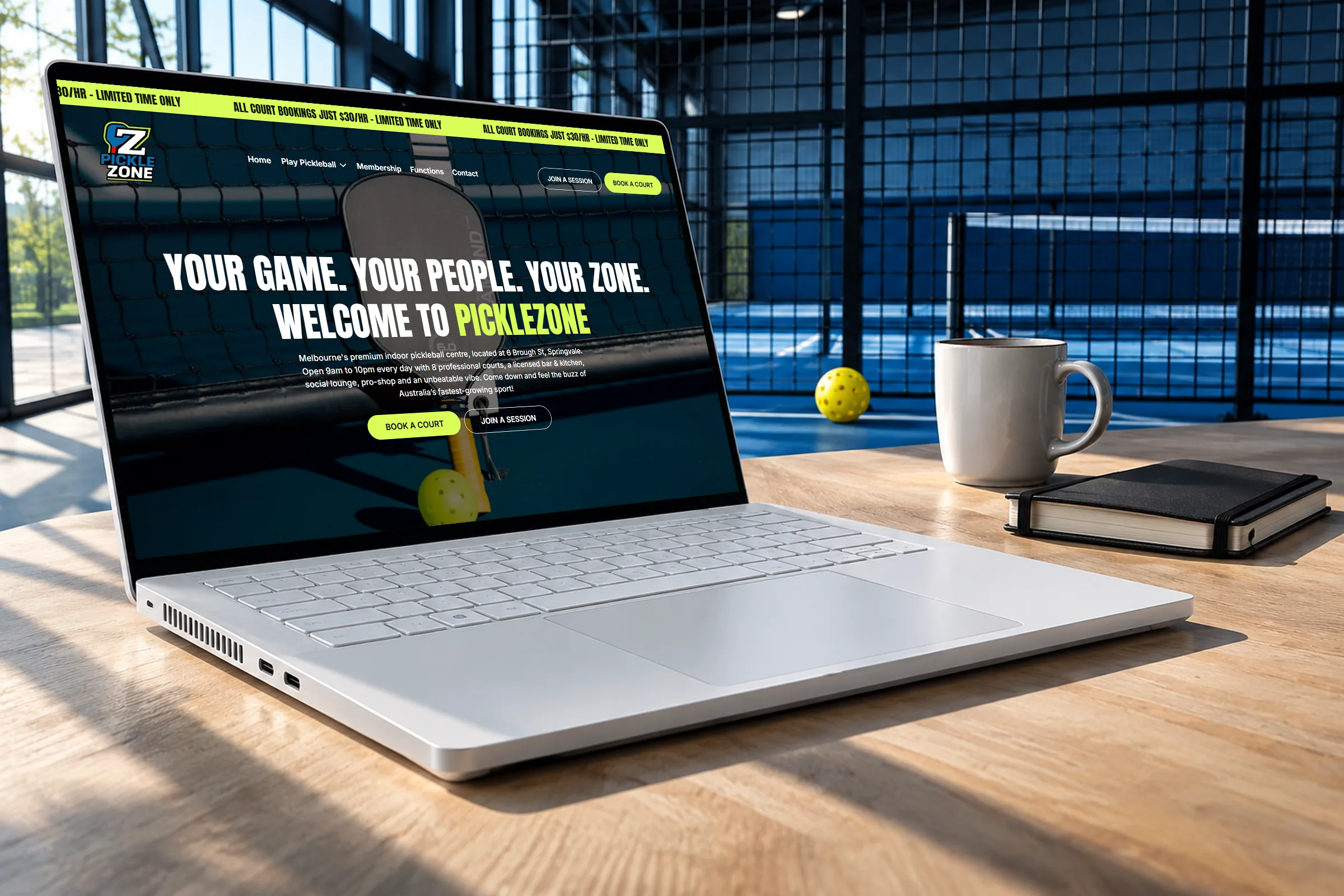
Both buttons appear again in the home page hero, under the headline Your Game. Your People. Your Zone. The header stays fixed as you scroll. On a phone it keeps Book a Court in view next to the menu icon, so booking a court is always in reach.
A home page that sorts the options
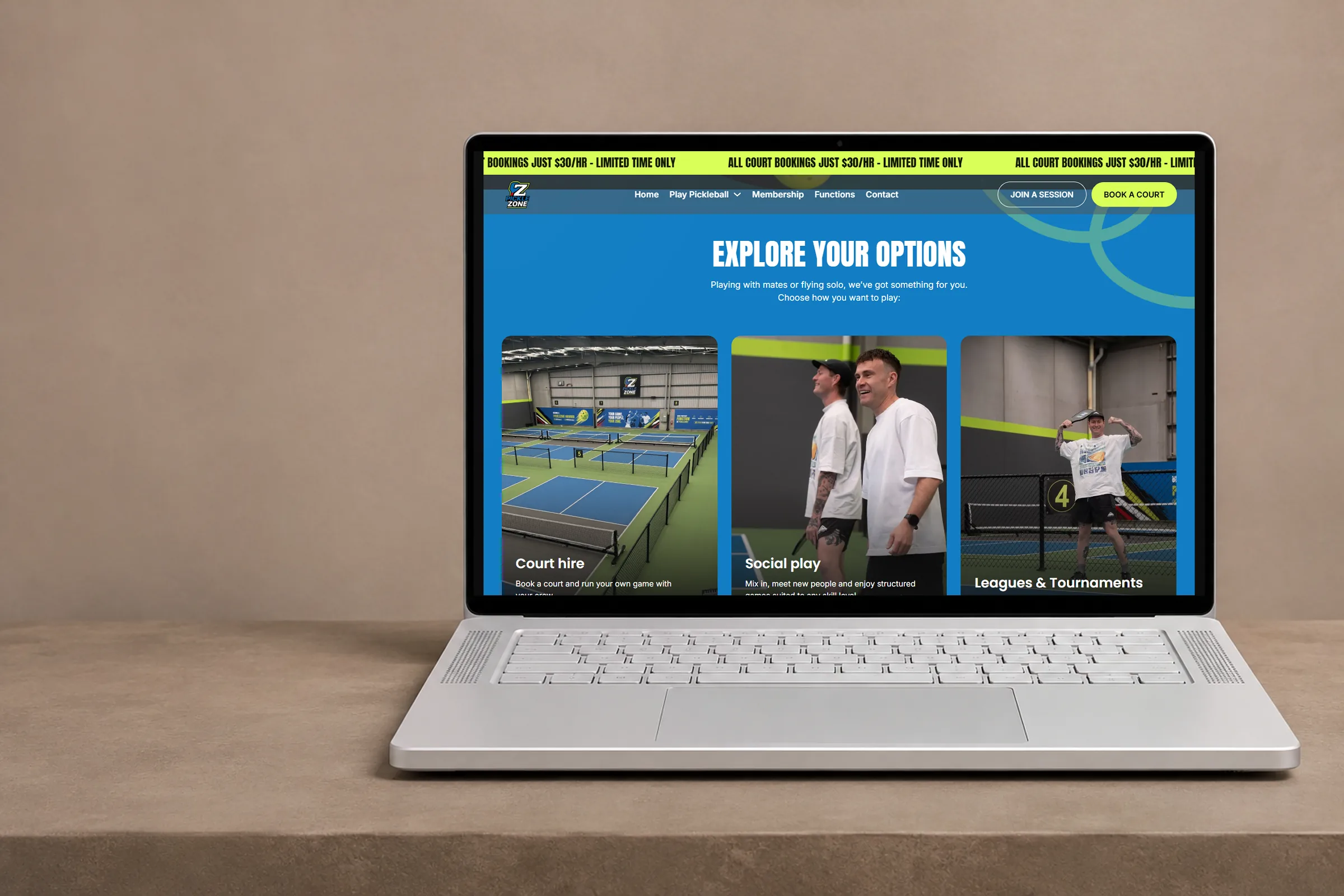
The hero introduces the centre in a single paragraph: where it is, that it opens every day, and what is inside, from the courts to the bar and the pro shop. Below it, a bright blue section called Explore Your Options turns the long list of offers into large photo cards, under a line that speaks to both groups at once: playing with mates or flying solo.
Court hire, social play, private events and memberships each get a photo, one line of copy and a link to their own page. The cards do the sorting, so a visitor reads one line, recognises themselves and moves on.
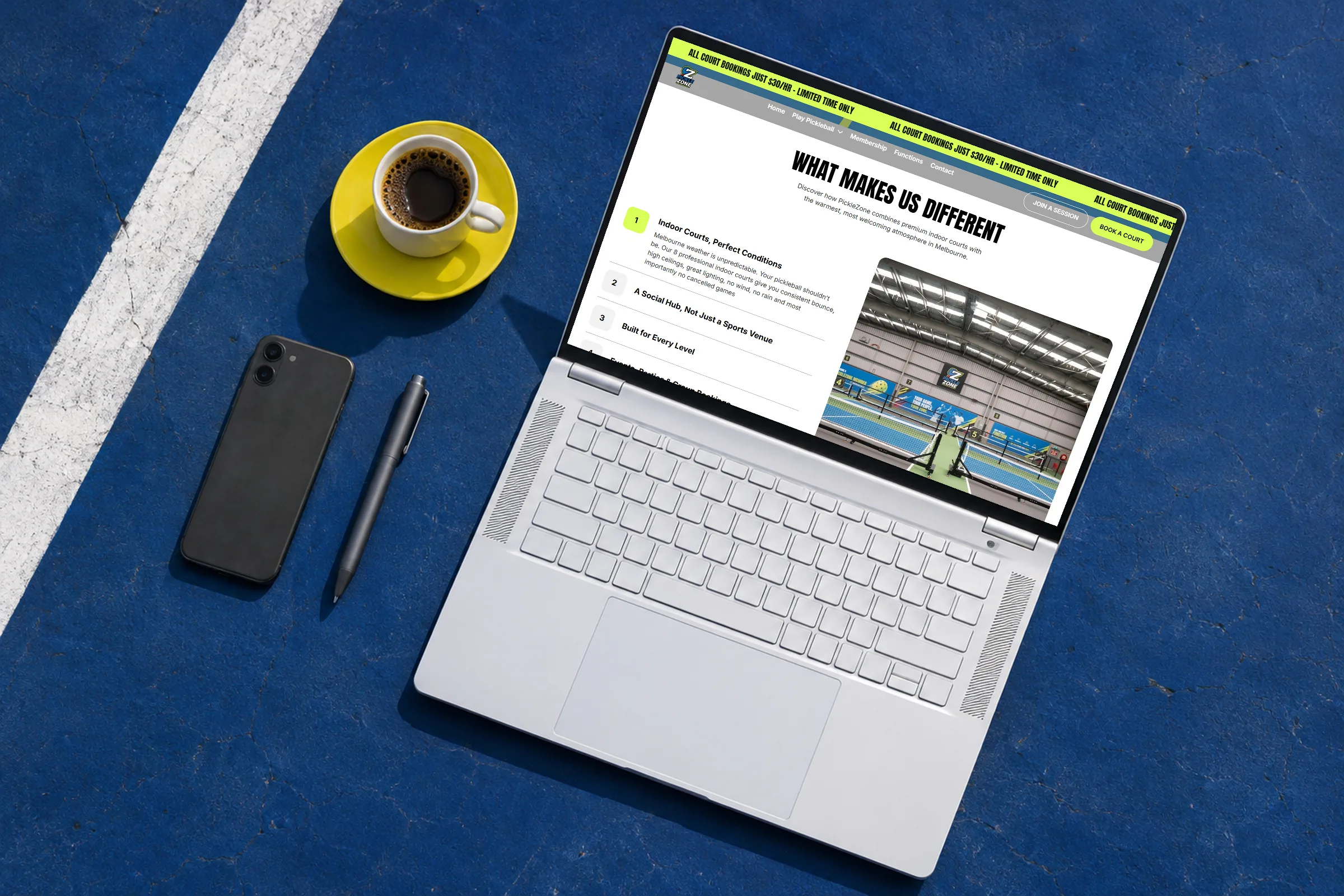
Next, What Makes Us Different explains the venue in four numbered points that open like an accordion. Indoor courts mean consistent conditions and no games cancelled by Melbourne weather. A smoothie bar, drinks and a lounge make it a place to stay after you play. Players of every level fit in, and group events are easy to arrange. Further down come a parties and events banner, a membership teaser with its perks scrolling past as lime tags, an embedded list of upcoming sessions and a lime card with the address, phone number and email.
Answers for first-timers, right next to the button
A first visit raises the same questions every time, so the court hire and social play pages each end with their own FAQ. On the court hire page, the answers cover how many people can play on one court, how long a booking runs, what happens if you are running late or need to cancel, and what to bring. The answer to that last one is reassuring: nothing, because standard paddles and balls are free and the pro shop has the rest.
The same page explains what a booking includes beyond the court: access to the PickleZone Bar, change rooms, lockers, the pro shop and the social lounge. Pre-paid bundles of court hours are set out clearly, with an off-peak option for weekday daytime play.
The social play page speaks to the person arriving alone. It says the venue handles teams, rotations and who plays next, and its FAQ explains that players are matched with others at a similar level and rotate partners through the session. A live list of upcoming sessions is embedded on the page with a link to the full calendar, and the copy suggests booking ahead for evenings and weekends.
Membership plans side by side
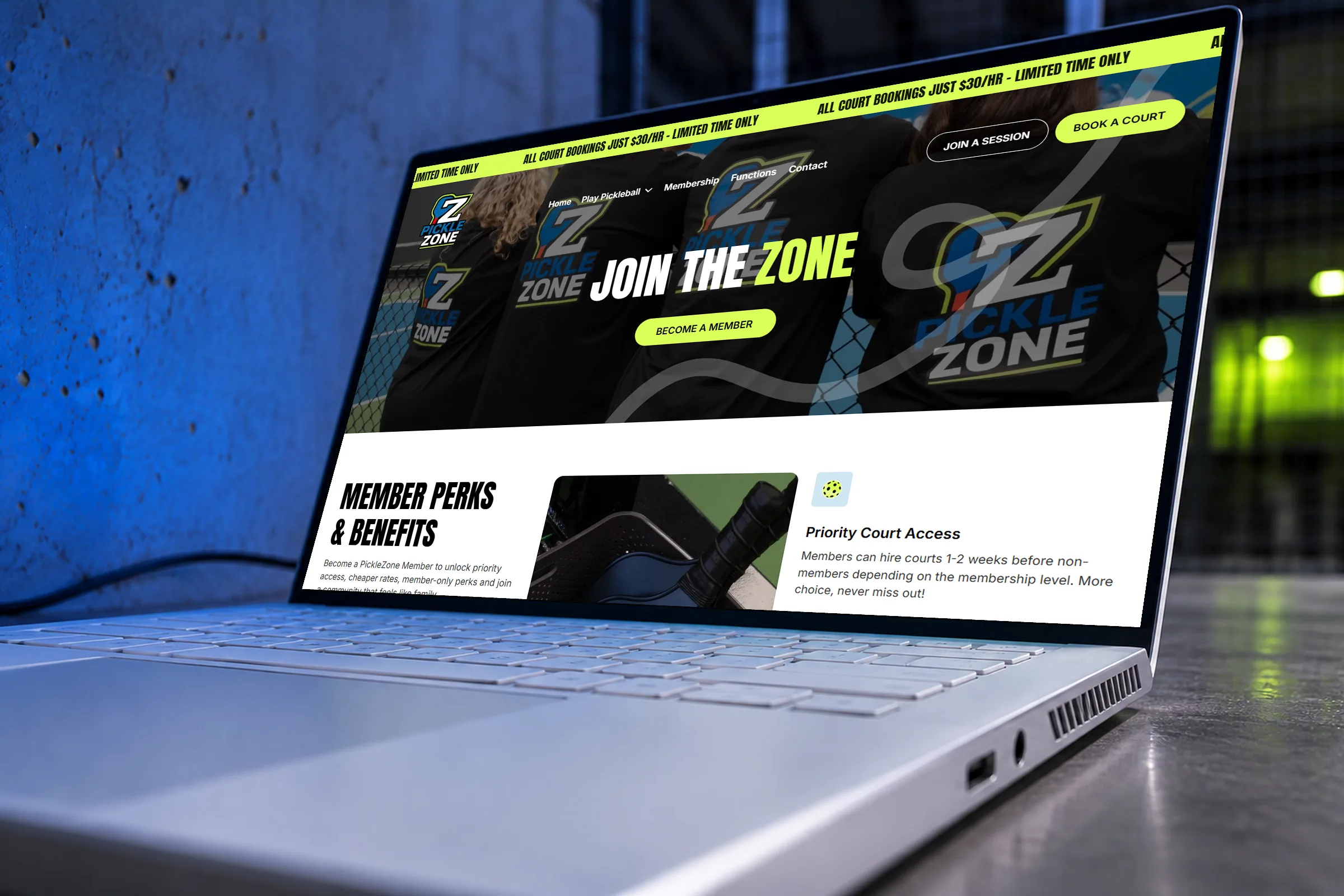
The Membership page lays out three plans next to each other: Silver, Gold and Weekday (Off-Peak). Each lists what is included in plain terms, such as cheaper court hire, booking before the public and first access to leagues and tournaments, and each has its own Choose plan button. All three state that there is no lock-in contract, which answers the question many people hesitate over before they sign up.
The same page repeats the court hire bundles for players who would rather pre-pay than subscribe. On the Contact page, a refer-a-friend form collects the member's details and the friend's details in two clear groups. The home page also carries a mailing list sign-up that promises exclusive deals, event updates and early access.
Functions that start with a well-built form
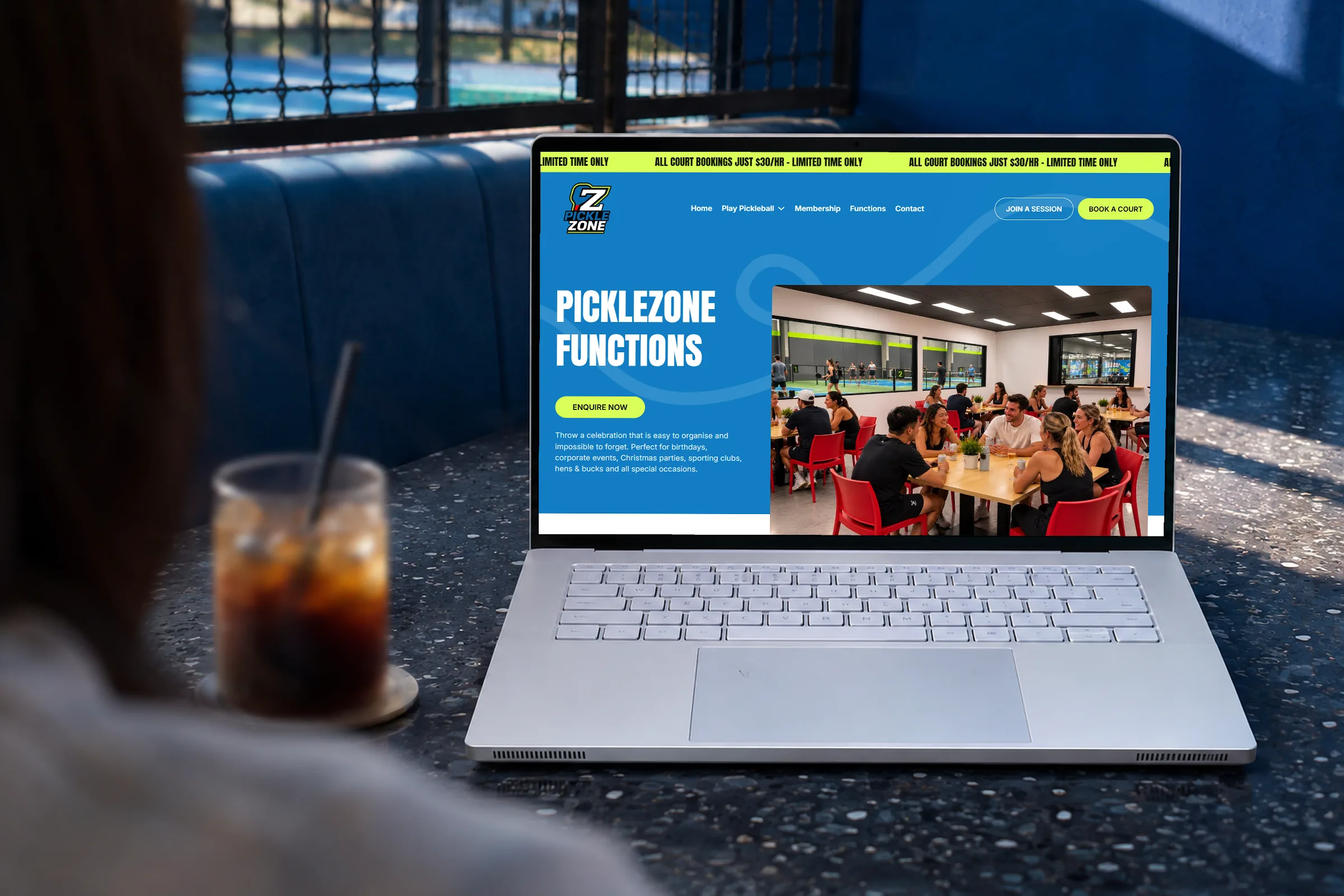
Functions have their own page, aimed at birthdays, corporate events, Christmas parties, sporting clubs, and hens and bucks nights. It compares two packages, a Private Event and a Kids' Birthday Party, each with a short list of what is included, such as private court time, paddles and balls, food and drink packages and a 15-minute intro to pickleball. Optional add-ons, like premium paddle hire and extra court time, sit underneath.
Function prices are not printed. Instead, the enquiry form promises to email the full pricing and package options once it is sent. The form asks what the event is for, with choices from a kids' birthday party to team building, plus a preferred date and time, an approximate number of guests and an optional company name. The venue gets what it needs to quote, and the visitor gets a clear reason to fill the form in.
Court blue, lime green and real players
The colours come from the courts themselves. Big sections are painted the same bright blue as the playing surface, buttons are lime green like the stripe that runs along the venue walls, and loose looping lines sweep across the blue like the path of a ball. The hero sits on a dark photo of a paddle resting against the net, and white sections give the busier parts room to breathe.
Headings use tall, condensed capitals that feel at home in a sports hall, and the logo, a bold Z with a paddle worked into it, sits top left on every page. The photography comes from inside the centre: rows of blue courts under bright lights, players laughing between points, a group at a function and branded paddles in a courtside basket. The venue photos carry plain descriptions in the page code, such as players chatting during social play, which helps screen reader users and search engines alike.
The words are casual and local, with phrases like your crew, playing with mates and no stress. Page titles carry the searches people actually make, such as book pickleball courts in Melbourne, social pickleball in Melbourne and pickleball functions in Melbourne, with Springvale named alongside.
What a new sports venue can take from this
When a venue serves both groups and solo players, give each of them their own button and keep both in the header. Someone who has never played should not land on a court booking screen that assumes they already have three friends ready to go.
The other lesson is to answer the beginner's questions on the same page as the button. What to bring, how long a booking lasts and what happens if you are late are small things, but they are often what stands between interest and a first booking.
Project summary
Want a site
like this one?
Start with a free 20-minute diagnostic. We look at your current site and tell you what we would change first.